Update Instructions:
515.world website update procedure:
I. Open Internet browser.
II. Log In to IONOS: username: PaulO515 password: ISIS1515is**
III. Other IONOS information 515.world:
Domain name: 515.world
Log in: 515ISISis*
Phone PIN: 5151
Account no: 629080696
Helpline: 03333365691
IIII. To view, create or edit 515.world website select ‘All Pages’.
V. To create a new page go to ‘Template’ on list and select ‘Duplicate This’.
VI. Open up new ‘Template’ page and select ‘Edit {Classic Editor}’.
VII. Change ‘Title’ of page and create content.
VIII. As you update and create page select ‘Save Draft’.
VIIII. To add text either: copy and paste from an existing word document
{copy = CTRL C} and to paste onto new page {paste = CTRL V}
Note: To select all the text {Select All = CTRL A}.
To Cut anything highlight {Cut = CTRL X}
To Undo Edit {Undo Edit = CTRL Z}
To Save anything { Save = CTRL S}
ADDING MEDIA:
I. To import Media into the editing suite select MEDIA and then LIBRARY.
II. To add new media photos or film to library select ADD NEW {Max 64 MB} and DROP or SELECT files.
III. If files are bigger than 64 MB use Coral Draw to resize images/photos. Use AVC Any Video Converter for movies/film.
IIII. AVC Any Video Converter. Drag and Drop new movie. Select Video Size = 1280×720. Quality = Normal. Select File Name and Output Folder. Select ‘Customised MP4’ and press CONVERT.
UPDATING WEB PAGE:
I. To add or change any text remember to change it to black during update and then back to white again {or red!}. To then update 515.world website select ‘Publish’.
II. To add images or movies position cursor on page exactly where update required. Go to ADD MEDIA and select image or movie. Press INSERT into PAGE.
III. For photos/images it will already be centered. You can change size of image. Save Draft.
*** To view update or new page go to VIEW PAGE.
IIII. For movies/film go to ADD MEDIA. Select movie and INSERT into PAGE.
To centre movie select movie and go to TEXT {Visual Text toolbar}. Add <center> in front of code starting [Video Width = “720”….
V. To DELETE any page go to MOVE to BIN.
VI. To change or update MENU Toolbar of 515.world go to APPEARANCE and select MENUS. Change title, position {move up or down} as required.
EXAMPLE TEMPLATE:
REVELATION:
CHAPTER 5. VERSE 15:
And the wandering shepherds said, “Behold! We saw black and then we saw white. One became two and then one again”.
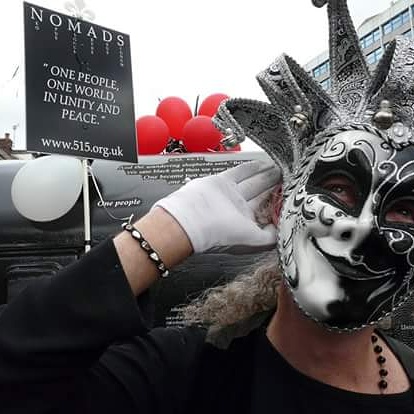
My name is Paul John O’Hara and I am an Artist, Father and Grandfather based in Preston, Lancashire.
Through the research and development of my art over the last 20 years I have been in search for evidence of mathematical or geometrical patterns, ratios or proportions that would prove the existence of intelligent design and teleological purpose in our Universe. My search began with the number 515 and the rest is history.
{Salt ~ Pendulum ~ Spiral ~ Phi ~ Fibonacci}